- Open the Project Director Administration dashboard and click Security folder.
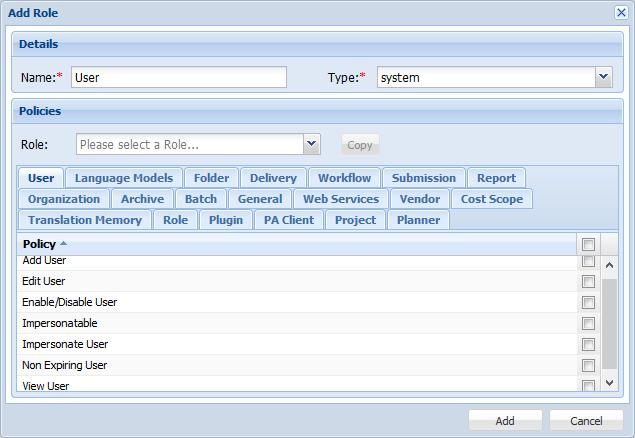
- Click Add Role.
- Enter a Name for the new role.
- Select the Type of the role. You have two options:
- If you want to base the new role on an existing role, in the Policies pane, select a role from the drop down list and click Copy.
- Complete the required modifications to the policies by selecting or deselecting them.
- Click Add.